See the real price. Plan every gift.
Percent Off does the sale, coupon and tax math for you, then keeps your gift lists and budgets in one place, so nothing goes over this holiday.
Free to download. One-time unlock, no subscription.
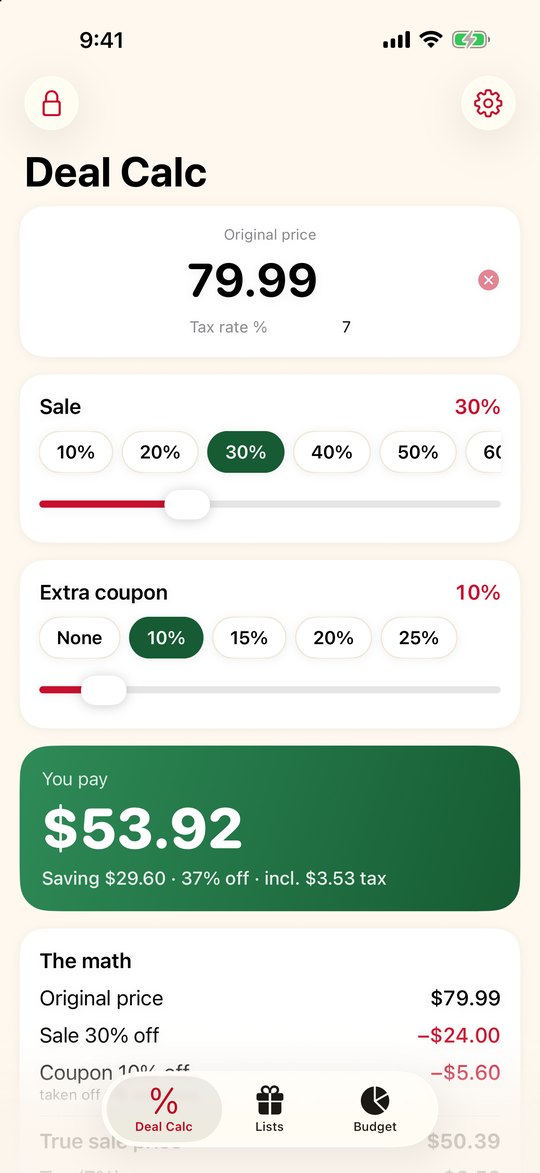
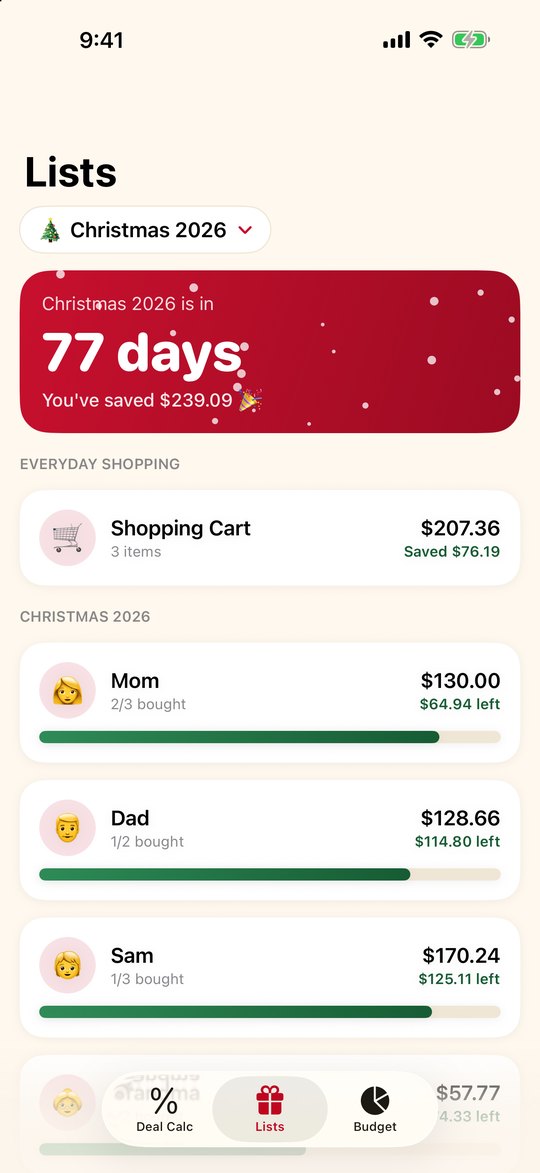
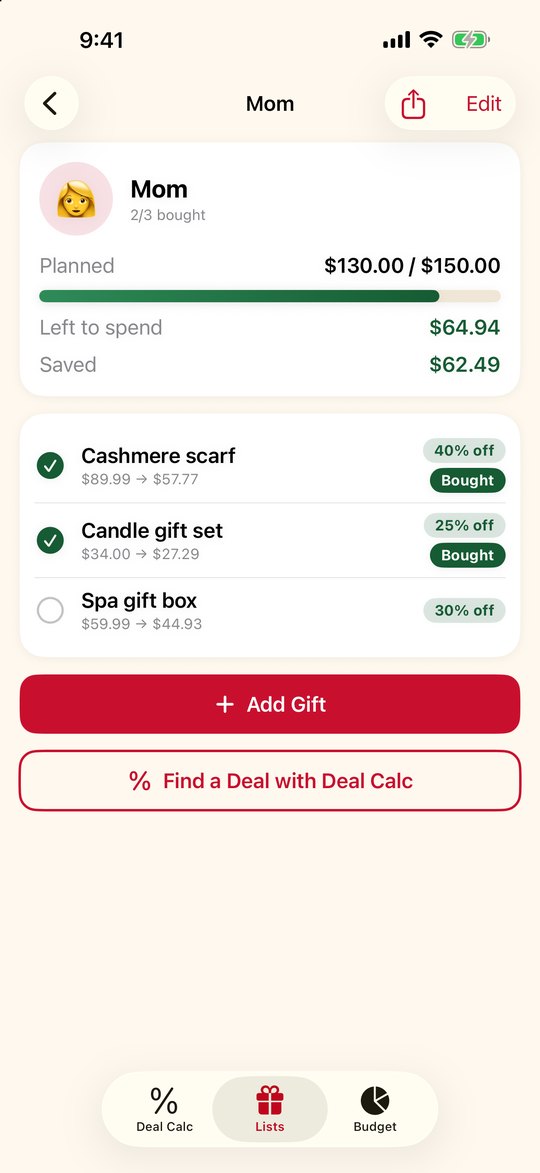
Percent Off does the sale, coupon and tax math for you, then keeps your gift lists and budgets in one place, so nothing goes over this holiday.
Free to download. One-time unlock, no subscription.
A calculator you can trust, and lists that keep you organized from the first deal to the last gift.
Tap the sale, add a coupon, and see every step: the sale, the coupon, the true sale price, tax, and the final total.
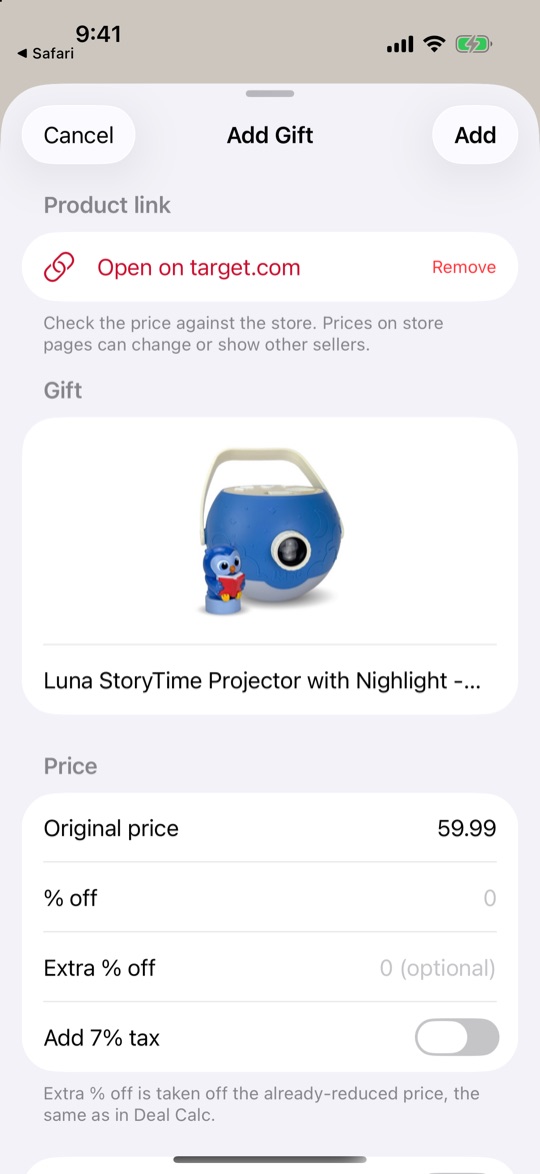
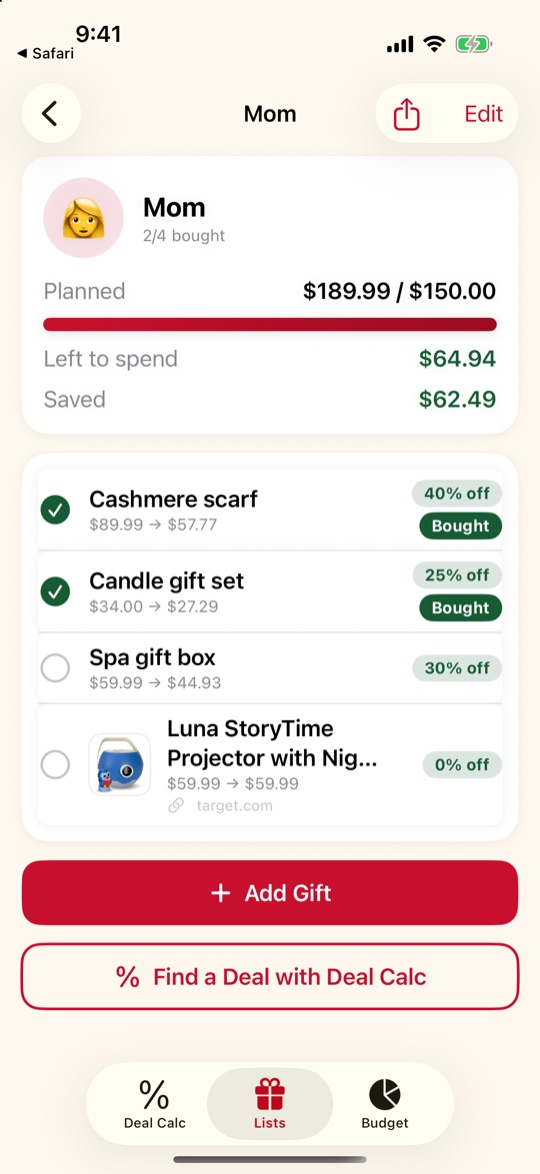
A list for each person, with a photo and a budget. Paste a product link and it adds the price and picture for you.
Set a total budget, split it between people, and watch what you've spent, what's planned, and what you've saved.
Christmas, birthdays, anniversaries. Archive a finished list, then reuse it next year in one tap.
Keep a running total and total saved for everyday shopping, separate from your gift lists.
No account and no tracking. Your lists stay on your device.
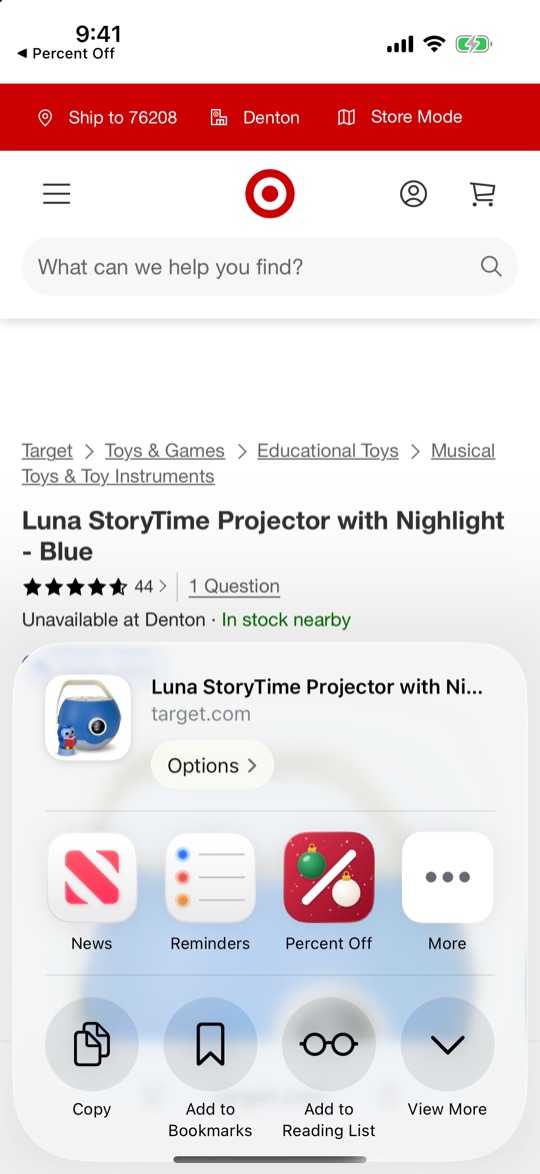
Found the perfect gift online? Send the link to Percent Off and it fills in the name, price, photo and details for you, then drops it on the right list.
Copy a product link, open Add Gift, and tap Paste.
In Safari or a store's app, tap Share, choose Percent Off, and pick who it's for.
Check the price, add your coupon or % off, and save. The photo and link stay with the gift.
Please note: some stores block apps from reading their pages, and others don't share every detail, so a link may come in without a price, photo or description. When that happens Percent Off still saves the link and lets you type in the rest. Prices shown on a store's page can change or differ by location or seller, so always double-check at checkout. Works with many popular stores, including Amazon, Target, Best Buy, Walmart and Home Depot. Percent Off is not affiliated with any store, and store names are trademarks of their owners.
No subscription, ever. Pay once if you want everything.
Questions, bugs, or an idea for a feature? Email bharned3@gmail.com and you'll get a reply from a real person. You can also reach this address from inside the app: Settings → Send Feature Request or Report an Issue.
Restoring a purchase: in the app, open Settings and tap Restore Purchases. Make sure you are signed in with the Apple Account you used to buy it.